PLAUD
Dedicated AI note-taking hardware that turns meetings, site visits, and spoken workflows into transcripts and structured summaries. Plaud handles the capture step so you can hand off cleaner source material to ChatGPT, NotebookLM, or other AI tools.
Important Notices
- Recording laws vary. Always confirm consent requirements in your jurisdiction before recording conversations.
- Plaud NotePin S contains magnetic components. The manufacturer warns users with pacemakers to avoid wearing it on the chest.
- This page contains affiliate links. PromptedWork may earn a commission if you purchase through them, at no extra cost to you.
Where It Fits
Plaud on PromptedWork
Dedicated AI note-taking hardware that turns meetings, site visits, and spoken workflows into transcripts and structured summaries. Plaud handles the capture step so you can hand off cleaner source material to ChatGPT, NotebookLM, or other AI tools.
- +Recurring meetings, site visits, or conversations where phone voice memos feel unreliable
- +Workflows where the hard part is capturing spoken information, not drafting from it
- +Pairing with NotebookLM, ChatGPT, or Gemini for a capture-then-process pipeline
Start Here
Best Starting Workflows
Start with these to understand how Plaud is used on PromptedWork, then use the full workflow list below as the broader hub.
How to Turn a Contractor Call Recording Into a Scope Confirmation Memo With NotebookLM
Upload a contractor call recording and related scope documents, then create a neutral memo that confirms agreed scope, materials, timing, pricing assumptions, and open items before approval.
How to Turn a Site Visit Note Into a Professional Quote Email With AI
Turn site visit notes, dictated observations, or a recorded walk-through into a structured scope summary and quote email before field details get lost.
How to Turn an Owner Voice Memo Into a Staff SOP With AI
Record a process once, turn it into a clean step by step SOP, and save it in a format staff can actually use.
Jump to workflows
Already know what Plaud is? Jump straight to the compatible workflows below.
Skip to workflowsWhat Plaud Is

Plaud makes dedicated AI note-taking hardware. It uses a connected app to turn your audio recordings into transcripts, summaries, and mind maps.
For PromptedWork readers, the practical value is simple: press a button to record, let Plaud produce the first transcript and summary layer, then hand off that material to a software AI tool for the final drafting work. Plaud is the capture layer. It is not the whole workflow.
Why Someone Would Use It
Plaud solves a specific bottleneck: when you have useful information trapped inside a spoken conversation, a walk-through, a kickoff call, or a site visit. It pays for itself when the hard part of your workflow is capture, not drafting, and when pulling out a phone recording app feels too slow or unprofessional.
Who It Is For (And Who Should Skip It)
- It is for people who repeatedly capture real-world workflows—like client meetings, property walk-throughs, or field service visits—and find themselves losing details before they get back to their desk.
- You should skip it if your source material already starts as clean digital text, PDFs, spreadsheets, or structured meeting platform exports. If your meetings are already cleanly recorded by Zoom bots or Teams, you usually do not need dedicated hardware.
Check current device options and subscription inclusions on their official store.
Check current Plaud pricingWhich Plaud Device Fits Which Workflow
There are two primary devices that fit PromptedWork-style workflows best:
- Note Pro: Best for desk meetings, conference rooms, and online calls. Choose this when you want more battery headroom and stronger room capture, and you often turn meetings into summaries or action items.
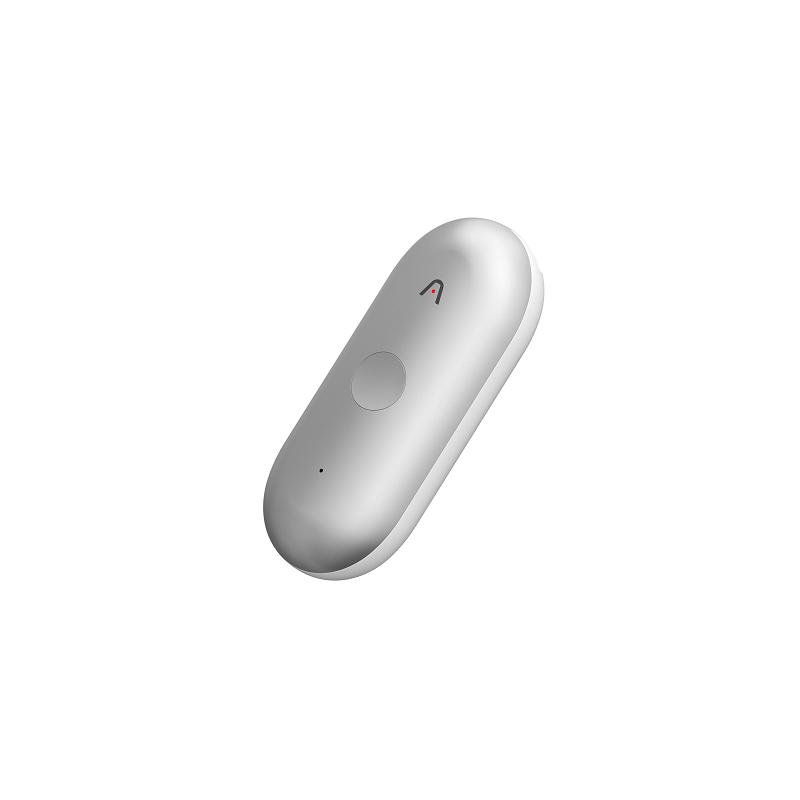
- NotePin S: Best for mobile, on-the-go capture like site visits, walk-throughs, coaching, or field notes. Choose this when you move between rooms while recording and want a hands-free wearable form.

Note Pro
For desks and conference rooms.
NotePin S
For movement and site visits.
Practical Comparison
| Feature / Need | Plaud Devices |
|---|---|
| Setup Dependency | Requires a smartphone and the Plaud app for setup and syncing. |
| Free Tier Limit | The Starter plan is free but includes a limited monthly transcription quota. Paid plans are required for high-volume use. |
| Phone-Call Capture | If capturing traditional phone calls is your main job, check the standard Plaud Note rather than the Note Pro or NotePin S. |
| Export Flexibility | Crucially, it exports to audio, raw text transcripts, and summary notes. You can hand off that text to ChatGPT or Claude. |
What Plaud Cannot Do
- It does not write the final draft for you. The summaries are good for structure, but you will still need ChatGPT or Claude to write polished emails or formal policies.
- It is not completely standalone. You need the app to sync the audio, process the summary, and get the text out.
- It is not a replacement for permission. Having a quiet device does not mean you can record a sensitive meeting if workplace policy forbids it.
How Plaud Fits Into a PromptedWork Workflow
Start the recording by stating context out loud: "Client site visit for exterior signage quote."
Use the physical button to drop highlights when a decision or blocker comes up. When finished, sync the recording and copy the transcript from the app.
Finally, give that transcript to a software tool (like NotebookLM for synthesis, or ChatGPT for drafting) to generate the final deliverable. The workflow is: Capture (Plaud) → Polish (Software AI) → Deliver.
Important Cautions
- Recording Laws & Consent: Laws vary heavily. Let others know and get their okay before recording. Treat consent as your absolute baseline, not an afterthought.
- Sensitive Material: Do not upload sensitive, protected, or confidential content just because the tool technically handles it. If you work in healthcare, legal, or education, check your organization's approved workflow for AI transcription first.
- Safety Warnings: If you use the NotePin S on the chest, Plaud notes that individuals with pacemakers should avoid wearing it there due to magnetic components. Always read official safety guides.
Frequent Questions
Is Note Pro the best device for phone calls?
Not automatically. Plaud positions the standard Plaud Note as ideal for phone calls. Compare that model if phone capture is your main reason for buying.
Does Plaud support safe sharing limits?
Yes, you can use public share links for generic content or invite-only, email-gated links for materials that should not be freely circulated.
Can it automate next steps?
Yes. The AutoFlow features can trigger note generation upon sync and perform simple actions like emailing the notes once complete.
Should You Buy Plaud?
Buy Plaud if your workflow often starts with spoken information, the capture step is deeply messy, and you will use the device repeatedly in real work—not just as a one-time novelty.
Skip it if your source material already starts as clean digital text most of the time, or your meetings are reliably captured by software.
Best For
Related search guides
Where Plaud fits
These pages compare this tool against adjacent workflows, task hubs, and hardware or software alternatives.
best
Best AI Tools for Meeting Notes
Choose the right AI meeting notes workflow for transcripts, documents, recurring folders, portable recorders, and desk or phone-call capture.
Open guidehardware buyer
Best AI Voice Recorder for Meetings
Compare dedicated AI voice recorder hardware for meetings, phone calls, site visits, and follow-up workflows.
Open guidecomparison
Plaud vs HiDock
Compare Plaud and HiDock by workflow fit: portable capture versus desk and phone-call capture.
Open guiderole task
AI Quote Generator for Service Business
Turn inquiries, calls, voicemails, site visit notes, and text messages into quote drafts and follow-up emails.
Open guiderole task
AI Workflows for Small Business Owners
Use AI for quotes, customer replies, owner briefs, SOPs, collections worklists, and promotional campaign drafts.
Open guidecomparison
Plaud Note Pro vs NotePin S
Choose between Plaud capture styles by workflow fit: card-style recorder or wearable capture, without relying on unsupported specs.
Open guiderole task
AI Workflows for Property Managers
Use AI for turnover punch lists, vendor coordination, contractor calls, inspections, showing follow-up, and listing or staging workflows.
Open guidePlaud Workflows on PromptedWork
How to Turn a Meeting Transcript Into Minutes and Action Items With AI
The fastest reliable workflow: feed a transcript (or notes) into ChatGPT, Claude, or Gemini, extract decisions and action items with explicit uncertainty labels, then generate polished minutes and a ready-to-send follow-up email.
How to Turn a Client Debrief Recording Into a Renewal-Risk Brief With NotebookLM
Turn a client debrief recording into a source-grounded renewal-risk brief that shows concerns, wins, blockers, and the next conversation to have.
How to Turn a Contractor Call Recording Into a Scope Confirmation Memo With NotebookLM
Upload a contractor call recording and related scope documents, then create a neutral memo that confirms agreed scope, materials, timing, pricing assumptions, and open items before approval.
How to Turn an Owner Voice Memo Into a Staff SOP With AI
Record a process once, turn it into a clean step by step SOP, and save it in a format staff can actually use.
How to Turn a Site Visit Note Into a Professional Quote Email With AI
Turn site visit notes, dictated observations, or a recorded walk-through into a structured scope summary and quote email before field details get lost.