How to Mock Up Three Low-Maintenance Front Yard Ideas From One Exterior Photo With Gemini
Use Gemini to generate three believable low-maintenance front-yard concepts from one exterior property photo so you can compare curb-appeal directions before landscaping work.
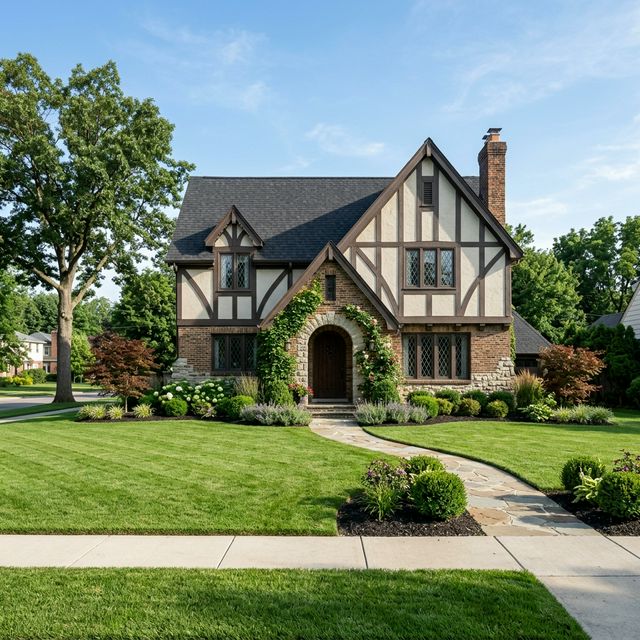
Workflow summary
Quote this workflow accurately
- Best for
- Operators who need a repeatable, practical workflow instead of a blank prompt.
- Input
- One clear exterior photo of the front of the property Gemini on desktop or mobile A goal such as lower upkeep, cleaner first impression, or stronger listing photos
- Primary tool
- Gemini
- Output
- Use Gemini to generate three believable low-maintenance front-yard concepts from one exterior property photo so you can compare curb-appeal directions before landscaping work.
- Main risk
- Ask for fewer plant species, less density, and lower maintenance plant groupings.
- Verification step
- House architecture is unchanged Landscaping additions are believable for the lot size The concept does not imply installed work that has not happened
Continue from this article
A front yard affects first impression fast, but many owners do not need a landscape architect just to compare basic curb-appeal directions. This workflow helps you use Gemini to create three low-maintenance front-yard concepts from one exterior property photo so you can compare options before spending time or money.
Warning: This workflow creates concept images and draft marketing assets. Double-check that every final image accurately reflects the property. Do not remove defects, invent permanent features, fake views, or imply finishes, landscaping, or usable space that do not actually exist. Review any final listing copy for fair housing-safe language before you publish it.
Prerequisites
- One clear exterior photo of the front of the property
- Gemini on desktop or mobile
- A goal such as lower upkeep, cleaner first impression, or stronger listing photos
- A commitment to keep the house itself truthful and unchanged
How to capture or gather the source material
Stand far enough back to include the front entry, the main planting areas, and the walkway if there is one. Try to shoot in even daylight. Do not crop out awkward areas if they matter to the decision. On mobile, you can take the photo through Gemini's camera option and test the concept immediately from the curb.
Step-by-step workflow
1. Define what "low maintenance" means for this property
Examples:
- fewer plant varieties
- cleaner edging
- less lawn area
- mulch or gravel beds
- simpler seasonal upkeep
This matters because one person's "easy" landscape is another person's weekend project.
2. Ask Gemini for three curb-appeal directions, not one
A useful trio is often:
- clean and minimal
- warm and inviting
- slightly higher-end but still practical
Desktop web app path
- Open Gemini in your browser.
- Upload the exterior photo.
- Use the prompt below.
- Compare the three concepts side by side.
Mobile Gemini app path
- Open Gemini on your phone.
- Tap Add files and choose Gallery or Camera.
- Capture the front of the property or use an existing exterior photo.
- Submit the same prompt and review the concepts on site.
{
  "task": "Create three low-maintenance front-yard concept images from one exterior property photo while preserving the actual house.",
  "goal": "improve curb appeal with simpler upkeep",
  "concept_directions": [
    "clean and minimal",
    "warm and inviting",
    "slightly more polished but still practical"
  ],
  "must_preserve": [
    "house shape",
    "roofline",
    "windows and doors",
    "driveway placement",
    "walkway location unless only minor surface changes are proposed"
  ],
  "editing_rules": [
    "do not change the house architecture",
    "do not add major structures",
    "keep the result photoreal",
    "focus on planting, edging, mulch, gravel, pots, and simple lighting cues"
  ],
  "output_request": "Generate 3 exterior concepts from this same property photo and label each concept."
}
If the yard is small, ask for fewer changes. Overdesign often looks fake.
3. Evaluate the concepts by upkeep and listing impact
Look for the concept that makes the property feel cleaner and more cared for without implying a finished project that does not exist.
4. Refine the best one with specific edits
Examples:
- reduce the plant count
- simplify the walkway edge
- remove the larger shrubs
- make the mulch tone more natural
- add only subtle path lighting
5. Use Redo with Pro when the concept is right but the detail feels muddy
Landscaping mockups can get messy around beds and edging. The second pass can help when you already know which direction you want.
6. Save the favorite and one backup
Name them by use:
- exterior-low-maintenance-owner-favorite
- exterior-clean-minimal-listing-option
Tool-specific instructions
Gemini works well here because the job starts from a real exterior image and benefits from quick visual iteration. Desktop is better when you want to compare concepts carefully. Mobile is better when you are standing outside the property and want immediate options.
Quality checks
Check these before sharing the concept:
- House architecture is unchanged
- Landscaping additions are believable for the lot size
- The concept does not imply installed work that has not happened
- The image still looks like the same property from the same angle
- The result supports the listing without deceiving the viewer
Common failure modes and fixes
The yard looks too lush to be believable
Ask for fewer plant species, less density, and lower-maintenance plant groupings.
The walkway changes too much
Specify that the walkway must stay in place and only receive surface or border improvements.
The house itself changes
Repeat that the house shape, windows, doors, and roofline must remain exactly the same.
The result feels expensive and unrealistic
Ask for restrained updates aimed at cleaner presentation rather than full landscape redesign.
Sources Checked
- https://support.google.com/gemini/answer/14286560?hl=en (accessed 2026-03-21)
- https://blog.google/products-and-platforms/products/gemini/image-editing/ (accessed 2026-03-21)
- https://support.google.com/gemini/answer/14903178?hl=en (accessed 2026-03-21)
- https://help.unsplash.com/en/articles/2534407-downloading-photos (accessed 2026-03-21)
- https://help.unsplash.com/en/articles/2646379-what-if-there-s-a-brand-or-identifiable-person-depicted-in-an-image-that-i-download (accessed 2026-03-21)
- https://www.hud.gov/sites/dfiles/FHEO/documents/BBE%20Part%20109%20Fair%20Housing%20Advertising.pdf (accessed 2026-03-21)
Quarterly Refresh Flag
Review by 2026-06-19. Re-check Gemini image-generation naming, mobile capture steps, Redo with Pro behavior, export options, and any plan-specific limits before updating or republishing this article.
Related Workflows
How to Create Seasonal Curb-Appeal Variations From the Same Listing Photo With Gemini
Use Gemini to create seasonal curb-appeal concepts from one exterior listing photo so your marketing can stay fresh without reshooting the property.
How to Turn an Overhead Property Image Into Walkway, Lighting, and Planting Concepts With Gemini
Use Gemini to turn an overhead property image into simple outdoor concept directions for walkway flow, low-key lighting, and planting zones.
How to Turn Vacant Room Photos Into a Quick Virtual Staging Concept Deck With AI
Use Gemini to stage multiple vacant room photos and turn the strongest outputs into a quick concept deck for owner, seller, or investor review.
Help keep PromptedWork sharp
Share a broken step, outdated prompt, or general feedback. This is only for improving this specific workflow.