How to Create Seasonal Curb-Appeal Variations From the Same Listing Photo With Gemini
Use Gemini to create seasonal curb-appeal concepts from one exterior listing photo so your marketing can stay fresh without reshooting the property.
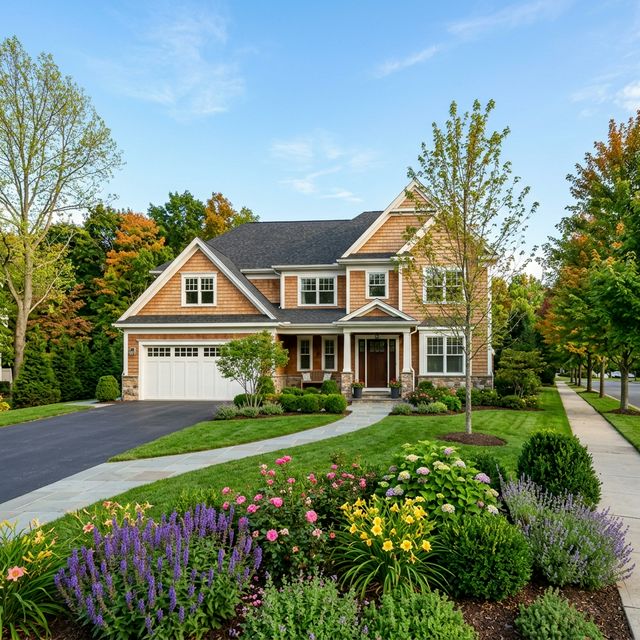
Workflow summary
Quote this workflow accurately
- Best for
- Operators who need a repeatable, practical workflow instead of a blank prompt.
- Input
- One clean exterior listing photo Gemini on desktop or mobile A clear reason for the seasonal variation, such as fresh spring marketing, warmer fall mood, or a brochure concept
- Primary tool
- Gemini
- Output
- Use Gemini to create seasonal curb-appeal concepts from one exterior listing photo so your marketing can stay fresh without reshooting the property.
- Main risk
- Ask Gemini to keep the seasonal treatment subtle and secondary to the property.
- Verification step
- same home, same angle, same lot believable seasonal changes no invented permanent features
Continue from this article
A property can look very different in spring, summer, or fall, and sometimes you need that seasonal feel in your marketing before you have time for a reshoot. This workflow shows how to use Gemini to create seasonal curb-appeal variations from one exterior photo while keeping the actual property honest.
Warning: This workflow creates concept images and draft marketing assets. Double-check that every final image accurately reflects the property. Do not remove defects, invent permanent features, fake views, or imply finishes, landscaping, or usable space that do not actually exist. Review any final listing copy for fair housing-safe language before you publish it.
Prerequisites
- One clean exterior listing photo
- Gemini on desktop or mobile
- A clear reason for the seasonal variation, such as fresh spring marketing, warmer fall mood, or a brochure concept
- A rule that the house itself stays unchanged
How to capture or gather the source material
Choose the exterior image that most clearly explains the home. It should be well lit, level, and free of heavy obstructions. If you are on site, you can capture the photo directly from the Gemini app. If you already have a listing photo, upload that from desktop or mobile.
Step-by-step workflow
1. Decide which seasons are actually useful
Most of the time, you do not need all four seasons. A better set is:
- spring
- summer
- fall
Those are usually more useful for residential marketing than forcing a winter concept unless snow is truly relevant.
2. Tell Gemini to change the landscaping mood, not the property
The prompt should focus on planting, leaf color, lawn condition, flower accents, and overall mood while keeping the home itself fixed.
Desktop web app path
- Open Gemini in your browser.
- Upload the exterior listing photo.
- Ask for three seasonal versions from the same base image.
- Compare which one best fits your campaign or listing update.
Mobile Gemini app path
- Open Gemini on your phone.
- Tap Add files and choose Gallery or Camera.
- Submit the same prompt from the property or from your photo library.
- Save the strongest seasonal options.
{
  "task": "Create seasonal curb-appeal variations from one exterior property photo while preserving the actual home and lot shape.",
  "seasons": [
    "spring",
    "summer",
    "fall"
  ],
  "must_preserve": [
    "house architecture",
    "roofline",
    "window and door placement",
    "driveway",
    "walkway",
    "camera angle"
  ],
  "editing_rules": [
    "change seasonal planting cues and landscape mood only",
    "keep the result photoreal",
    "do not add major hardscape",
    "do not change the house itself"
  ],
  "output_request": "Generate 3 versions of this same property photo labeled Spring, Summer, and Fall."
}
If the original photo already has a strong season baked into it, say that you want a controlled seasonal reinterpretation from the same property image.
3. Pick the version that supports your actual use case
Examples:
- Spring for a refreshed relaunch
- Summer for bright family-home energy
- Fall for a warmer brochure or social post
4. Refine only the selected season
Typical useful refinements:
- make the spring flowers more restrained
- reduce leaf clutter in fall
- soften the summer saturation
- keep the lawn realistic
5. Use Redo with Pro on the final seasonal version if needed
This helps when foliage edges or small landscape details need a cleaner second pass.
6. Label the image as a concept in your internal files
For example:
- front-exterior-spring-concept
- front-exterior-fall-social-option
That keeps your team from confusing the concept with a raw photo.
Tool-specific instructions
Gemini is a good fit because you can start from the same exterior image and create multiple seasonal interpretations without rebuilding the whole scene from scratch. Desktop is better for side-by-side comparison. Mobile is better for quick capture and testing on site.
Quality checks
Review the image for:
- same home, same angle, same lot
- believable seasonal changes
- no invented permanent features
- no misleading implication that the photo is an exact current-condition shot
- seasonal version fits the marketing purpose
Common failure modes and fixes
The season overwhelms the house
Ask Gemini to keep the seasonal treatment subtle and secondary to the property.
The yard becomes too dramatic
Request restrained, listing-appropriate seasonal cues.
The home color or materials shift
Restate that the house exterior must remain unchanged.
The concept looks like a totally different day and camera
Tell Gemini to preserve the same angle and overall scene composition from the base photo.
Sources Checked
- https://support.google.com/gemini/answer/14286560?hl=en (accessed 2026-03-21)
- https://blog.google/products-and-platforms/products/gemini/image-editing/ (accessed 2026-03-21)
- https://support.google.com/gemini/answer/14903178?hl=en (accessed 2026-03-21)
- https://help.unsplash.com/en/articles/2534407-downloading-photos (accessed 2026-03-21)
- https://help.unsplash.com/en/articles/2646379-what-if-there-s-a-brand-or-identifiable-person-depicted-in-an-image-that-i-download (accessed 2026-03-21)
- https://www.hud.gov/sites/dfiles/FHEO/documents/BBE%20Part%20109%20Fair%20Housing%20Advertising.pdf (accessed 2026-03-21)
Quarterly Refresh Flag
Review by 2026-06-19. Re-check Gemini image-generation naming, mobile capture steps, Redo with Pro behavior, export options, and any plan-specific limits before updating or republishing this article.
Related Workflows
How to Mock Up Three Low-Maintenance Front Yard Ideas From One Exterior Photo With Gemini
Use Gemini to generate three believable low-maintenance front-yard concepts from one exterior property photo so you can compare curb-appeal directions before landscaping work.
How to Turn an Overhead Property Image Into Walkway, Lighting, and Planting Concepts With Gemini
Use Gemini to turn an overhead property image into simple outdoor concept directions for walkway flow, low-key lighting, and planting zones.
How to Turn Vacant Room Photos Into a Quick Virtual Staging Concept Deck With AI
Use Gemini to stage multiple vacant room photos and turn the strongest outputs into a quick concept deck for owner, seller, or investor review.
Help keep PromptedWork sharp
Share a broken step, outdated prompt, or general feedback. This is only for improving this specific workflow.